Snipe For Animals Controls & Aiming
Master movement, scope timing, and menu navigation so every shot feeds the pen.
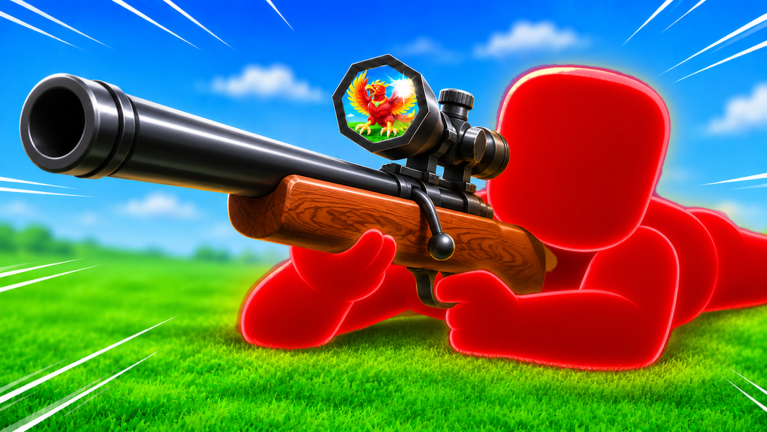
Clean controls decide whether Snipe For Animals feels like a sniper fantasy or a clumsy clicker. This guide covers how to aim and shoot on PC, mobile, and console-class inputs, how to open shops and pens without breaking your sight picture, and how to practice on dummy stands without wasting sessions. Pair it with Getting Started if you are brand new, then move into Range training once aiming feels natural.
Platform basics
Snipe For Animals runs on Roblox across PC, mobile, and console. Servers hold up to six players, so input clarity matters more than arena-style spam. The official loop never changes: snipe far, keep animals in your pen, buy guns, train Range on dummies, and reach rarer areas.
| Action | Typical PC | Typical mobile | Notes |
|---|---|---|---|
| Move | WASD | Virtual joystick | Strafe while lining long shots |
| Look / aim | Mouse | Drag screen | Slow down near the reticle edge |
| Shoot | Left click | Fire button | Wait for a stable sight picture |
| Jump | Space | Jump button | Rarely needed mid-snipe |
| Interact / UI | Mouse click / E prompts | Tap prompts | Pen, shop, dummy stands |
| Open menus | Top-bar buttons | On-screen icons | Settings, shop, pets |
Exact glyphs can shift after Marde Studios patches. If a button moves, learn the new location once, then return to this checklist.
Aiming mindset for a tycoon sniper
You are not playing a pure FPS deathmatch. Animals stroll at the edge of your Range. Lead walking targets, hold fire until the animal is fully in your effective window, and treat every miss as information about Range versus gun power. If creatures routinely leave your cone before you finish them, open Range training before buying another gun from the Guns tier list.
Desktop tip: lower sensitivity until micro-adjustments feel easy. High sensitivity looks flashy in clips and ruins Colossal chases.
Mobile tip: use two thumbs, rest the device, and avoid hunting rares while walking IRL. Accidental menu taps dump progress faster than bad aim.
Pen, shop, and dummy UI without panic
After each successful snipe, deliver the animal to the pen before opening the gun shop. Muscle memory order:
- Confirm the catch landed in inventory or delivery flow.
- Place keepers in pen slots; sell only blockers (Money progression).
- Visit dummy stands for a short Range block when cash allows.
- Open the gun shop only when your current firearm fails animals you can already see.
- Check Settings occasionally so you recognize the Codes entry for later (How to Redeem).
Never browse the entire shop while a rare is walking through your lane. Close UI, take the shot, then shop.
Dummy stand controls
Dummy stands raise Range. Walk up, interact, and complete the training loop without constantly canceling into the gun shop. Upgrade dummy power when sessions feel slow, but keep pen income healthy so training does not bankrupt you. The dedicated Range guide explains timing; this page only reminds you that training is an intentional interact, not background AFK magic unless you accept the risks described on the Scripts Hub.
Controller and console notes
On controllers, use the right stick for fine aim and resist over-flicking. Bind or learn the interact button before your first rare hunt. If Roblox touch-pad overlays appear on some devices, disable conflicting gestures so a swipe does not cancel a scoped shot.
Session warm-up drill (three minutes)
- Spawn and walk a square while rotating the camera.
- Take five deliberate shots at nearby animals—no sprinting between every trigger pull.
- Deliver at least one animal to the pen and open the pen UI once.
- Interact with a dummy stand for a short block.
- Open and close the gun shop without buying anything so the menu path sticks.
Then start your real goals: economy, Range, or a rare route from Rare animals.
Common control mistakes
- Spray-firing before the animal is inside Range.
- Opening shop menus during a Colossal walk-by.
- Rebinding keys before learning defaults, then getting lost watching guide videos.
- Hunting on mobile with one hand while chatting.
- Ignoring Settings until a code drops and you cannot find Redeem.
Related pages
- Getting Started — full beginner loop
- Range training — dummy timing
- Pets guide — loadout habits that sit beside controls
- Areas guide — when to travel after Range is ready
- Updates Hub — UI changes after patches
Dial the inputs in once, and every later guide becomes easier. Steady hands fill pens; frantic taps empty wallets.
Frequently Asked Questions
Quick answers to the most common questions.
What are the default PC controls?
WASD to move, mouse to aim, left click to shoot, and on-screen buttons or prompts for pen, shop, and dummy interactions.
Why do my shots miss at long distance?
Usually Range is too low or you fired before the animal entered your effective window. Train dummies before blaming the gun.
Should I rebind keys immediately?
Learn defaults first so videos and guides match your HUD. Rebind later only if a conflict hurts your aim.
How do I open the codes menu?
Look in Settings or the top-bar UI after tutorial unlocks. Exact placement can move after updates—see How to Redeem Codes.
Is mobile good for rare hunts?
Yes if you have a stable grip and quiet sessions. Avoid rare routes while multitasking; mis-taps cost more than missed Commons.